Physical Address
304 North Cardinal St.
Dorchester Center, MA 02124
Physical Address
304 North Cardinal St.
Dorchester Center, MA 02124

In today’s world, attention is under attack. From endless notifications to social media scrolls and email pings, staying focused feels like a constant uphill battle. Whether you’re a freelancer, student, or remote worker, the ability to concentrate deeply has become the ultimate competitive edge. According to Harvard Business Review, the average worker loses 2.1 hours per day to distractions equivalent to over 500 hours a year wasted.
Fortunately, the same technology that distracts us can also empower us. A new wave of focus apps is designed to eliminate noise, strengthen discipline, and help you work smarter. These tools combine science, psychology, and design to restore clarity in a world of chaos.
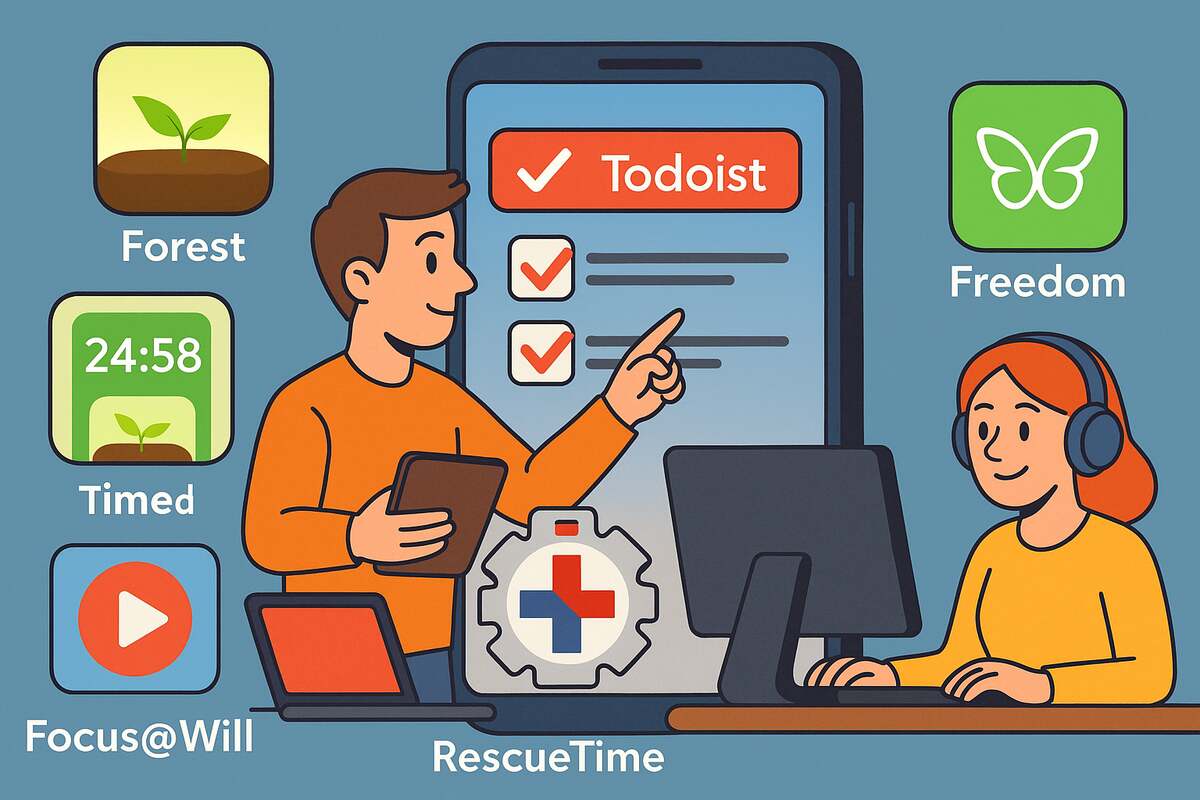
Here are five awesome, distraction-killing tools that can help you reclaim your time, sharpen your focus, and finally get things done.
Best for: People who can’t stop checking their phones.
If you struggle to stay off your phone while working, Forest is the perfect fix. This creative app uses gamification to reward you for staying focused. When you start a session, you plant a virtual seed. Stay focused, and the seed grows into a tree. But if you leave the app—your tree dies. Over time, your consistent sessions create a lush digital forest that symbolizes your focus journey.
Key Features:
Why It Works: By turning focus into a game, Forest leverages positive reinforcement to train your brain. Instead of feeling deprived by avoiding your phone, you’re motivated by growth and accomplishment.
Example: Sarah, a freelance content writer, reduced her daily phone pickups by 60% after using Forest for a month. She even planted 10 real trees through the app’s rewards program.
Pro Tip: Pair Forest with the Pomodoro Technique 25 minutes of focused work followed by a 5-minute break—to create sustainable productivity cycles.
Takeaway: Forest turns focus into something tangible, visual, and rewarding.

Best for: Blocking distractions across all devices.
If your attention span vanishes every time a notification pops up, Freedom is your secret weapon. This powerful app blocks websites, apps, or even the entire internet when you need to concentrate. You can schedule focus sessions or start one instantly when distractions creep in.
Key Features:
Research Insight: The American Psychological Association reports that frequent task-switching increases stress and decreases mental efficiency. Freedom helps prevent this by removing the temptation to multitask.
Example: Jake, a web developer, used Freedom to block Slack and social media during his morning coding sessions. Within two weeks, he doubled his deep work output.
Pro Tip: Schedule your Freedom sessions at consistent times daily. Automation removes the need for willpower.
Takeaway: Freedom gives you control over your attention and peace of mind.
Best for: Task management and project organization.
When your to-do list feels endless, Todoist helps you regain structure. This clean, intuitive app organizes your work into actionable, prioritized tasks. Whether you’re managing multiple clients or planning personal goals, Todoist ensures nothing slips through the cracks.
Key Features:
Why It Works: Todoist helps externalize mental clutter. By moving tasks from your brain to a structured system, you reduce anxiety and improve cognitive clarity.
Example: Maria, a digital project manager, adopted Todoist to streamline her remote team’s workflow. She reduced daily coordination time by 40% and hit every campaign deadline for the first time in months.
Pro Tip: Create separate projects for work, learning, and personal life—then assign different colors for visual clarity.
Takeaway: Todoist turns mental chaos into manageable, meaningful action.
Best for: Using sound to sustain deep concentration.
Focus@Will blends neuroscience and music to improve focus and productivity. Its soundtracks are scientifically curated to stimulate brain regions associated with sustained attention and creativity. Instead of random playlists, it offers data-driven audio designed for work.
Key Features:
Scientific Insight: Research from Stanford University confirms that certain musical rhythms can synchronize neural activity, enhancing attention and cognitive control.
Example: Nina, a graphic designer, began using Focus@Will during her morning design sprints. She noticed her focus lasting longer and her creative output improving by 25%.
Pro Tip: Avoid lyrical tracks while working on language-based tasks—they compete with your verbal processing system.
Takeaway: Focus@Will proves that the right sound can train your brain for deep work.

Best for: Time tracking and self-awareness.
RescueTime acts as your personal productivity coach, quietly running in the background to analyze how you spend time online. It categorizes activities, calculates focus hours, and reveals patterns that either support or sabotage your goals.
Key Features:
Why It Works: You can’t improve what you don’t measure. RescueTime transforms invisible habits into clear data, helping you make smarter decisions.
Example: Emma, a marketing strategist, discovered she spent 90 minutes a day on social media tabs. After setting limits through RescueTime, she reclaimed 7 hours a week.
Pro Tip: Use RescueTime’s “Daily Goals” feature to set productivity benchmarks like achieving 4 hours of focused work per day.
Takeaway: RescueTime turns awareness into accountability.
David, a UX designer working remotely, built his own “Focus Stack” using all five tools. He starts each morning by reviewing tasks in Todoist, blocks distractions with Freedom, listens to Focus@Will during deep work, and tracks results with RescueTime. Between sessions, Forest helps him resist his phone.
After two months, David cut his working hours from 50 to 35 per week while maintaining his income. He credits this transformation to building digital discipline and designing an environment for success.
Takeaway: The best productivity system isn’t about working harder it’s about working intentionally.
| App | Best For | Unique Feature | Pricing Model |
|---|---|---|---|
| Forest | Gamified focus | Virtual trees + eco-impact | Free / Premium $2.99 |
| Freedom | Distraction blocking | Multi-device sync + Locked Mode | $8.99/month |
| Todoist | Task organization | Karma system + smart scheduling | Free / Premium $4/month |
| Focus@Will | Music-based focus | Neuroscience-backed playlists | $9.99/month |
| RescueTime | Time analytics | Automated tracking + Focus mode | Free / Premium $12/month |
1. Can these apps really improve focus?
Yes. Research and user data show significant productivity improvements when using focus tools consistently.
2. Do I need all five apps?
Not necessarily. Start with one or two based on your biggest distractions and build from there.
3. Are focus apps secure?
Most reputable apps, like Todoist and RescueTime, follow strict privacy protocols. Always review permissions before installing.
4. Which app is best for students?
Forest and Todoist are great for managing study sessions and deadlines.
5. Can these tools replace willpower?
No—they amplify it. The goal is to create an environment that supports discipline, not replaces it.
In a world filled with digital noise, focus is your superpower. These five focus apps Forest, Freedom, Todoist, Focus@Will, and RescueTime offer a practical path to reclaim your attention and energy. They don’t just block distractions; they build habits, structure, and awareness.
The key is consistency. Start small, stay intentional, and let technology work for you, not against you.
If this article inspired you to sharpen your focus, share it with your team or friends and explore more productivity insights on our blog.